

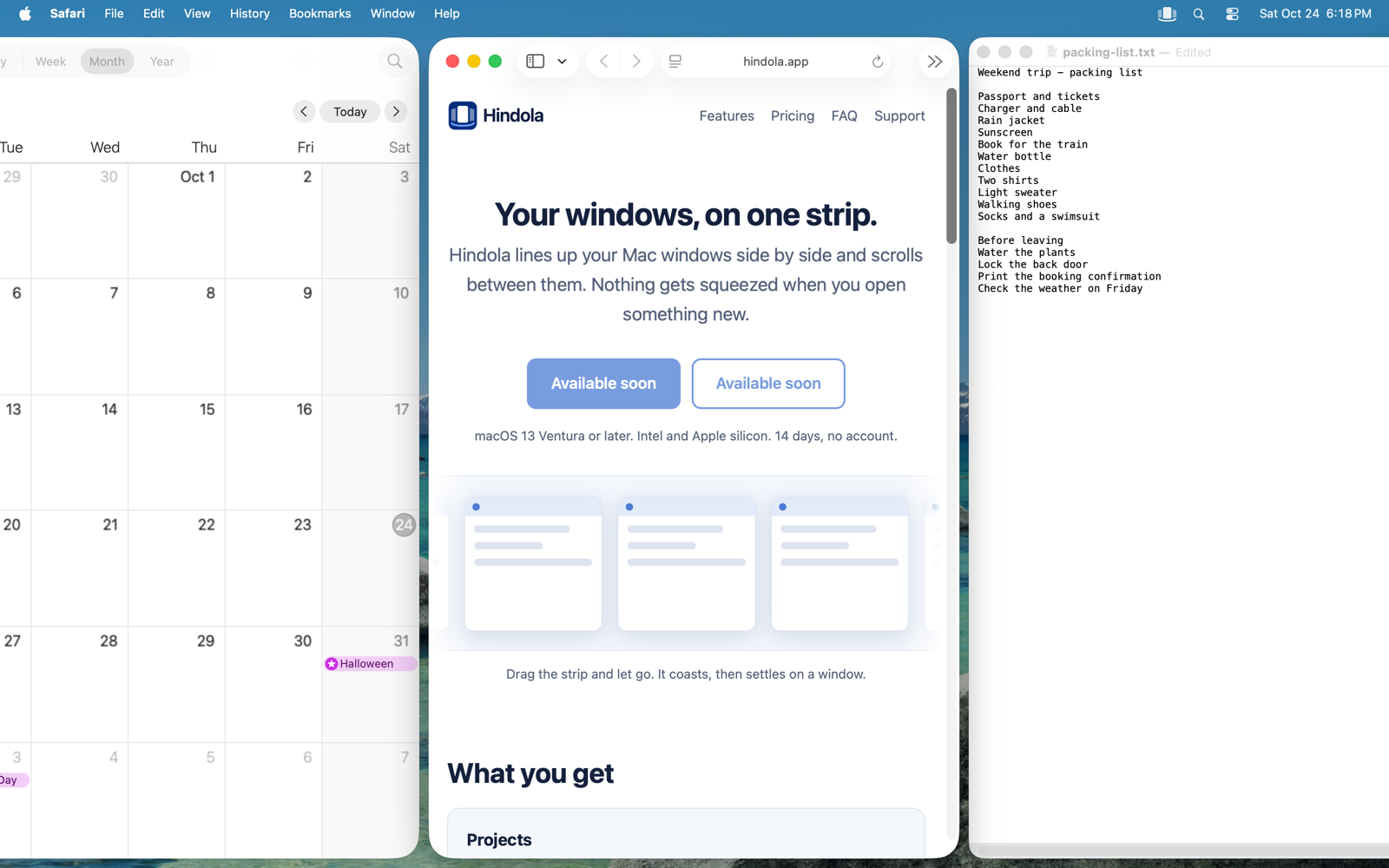
Your windows, on one strip.
Hindola lines up your Mac windows side by side and scrolls between them. Nothing gets squeezed when you open something new.
Download free trial BuymacOS 13 Ventura or later. Intel and Apple silicon. 14 days, no account.
Drag the strip and let go. It coasts, then settles on a window.
What you get
Projects
Save a set of apps in the order and widths you like, such as Mail, Excel and Teams. Press Control-Option-Command-1 and Hindola opens what is not running and lays it out.
It loops
Go past the last window and you land on the first. Focus, move and scroll all go round. You can turn this off.
Momentum swipe on any title bar
Swipe sideways with two fingers on any window's title bar. Flick hard and the strip coasts, then settles on a window. No keys and no trackpad settings to change. Control-Option with a mouse wheel works too.
Widths that fit your screen
Laptop, desktop and ultrawide displays each get their own width presets. Half a laptop screen is a third of an ultrawide, and docking keeps that sensible.
Quit and everything goes back
When you quit Hindola, every window returns to exactly where it was.
Intel and Apple silicon
One universal app that runs on both.
Learn it in a minute
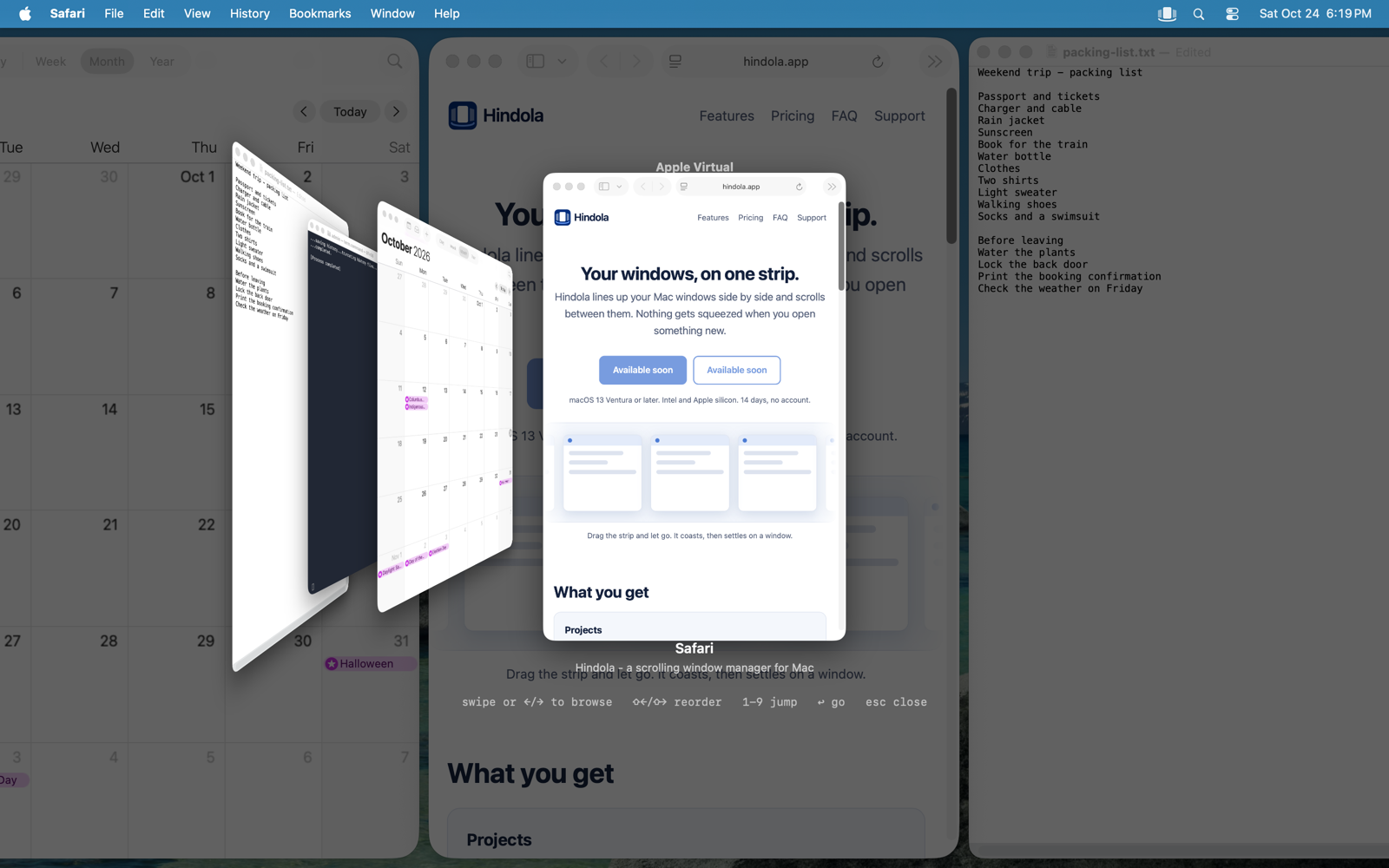
Overview (Control-Option-O) shows the whole strip as cards. The shortcut sheet (Control-Option-/) lists every key for your keyboard layout.
Private
No account and no telemetry. Your licence is checked on your Mac, with no activation server. The only thing Hindola fetches is its own updates.
Try it for 14 days
The trial is the full app. Decide after you have used it.
How it works
- Install and allow Accessibility. Hindola asks once, so it can move windows.
- Open your apps as usual. They line up in a strip that runs past the edge of the screen.
- Swipe or use the keys. Swipe sideways with two fingers on a title bar, or press Control-Option with H and L to move left and right.
Questions
Why does Hindola need Accessibility permission?
macOS only lets an app move other apps' windows if you grant Accessibility access. Hindola uses it to read each window's position, size, app and title, and to move windows. Titles help it put the right windows back after a restart; they are saved only on your Mac. It never looks at what is inside your windows unless you turn on live previews in the overview, which macOS asks you to allow separately.
What about privacy?
Hindola collects nothing. Its only network request is checking for its own updates, and it asks before doing that automatically. Your licence is checked on your Mac. See the privacy page.
Why "Hindola"?
Hindola (हिंडोला) is Sanskrit and Hindi for a swing, the kind that glides from side to side. Your windows do the same: they sit side by side and swing into view as you move along.
What do I need to run it?
macOS 13 Ventura or later, on an Intel or Apple silicon Mac.
How does the trial work?
You get the full app for 14 days. No account and no card. After that, Hindola asks for a licence key.
What happens when I quit?
Every window goes back exactly where it was before Hindola moved it. You can also pause Hindola with Control-Option-Shift-P.
Does it work with Spaces and multiple displays?
Each display gets its own strip. Hindola does not keep a separate strip per Space, and it rescans when you switch Spaces. Turn off "Displays have separate Spaces" if you see odd behavior; the setup check in Hindola tells you if it matters.
Can I get a refund?
Yes. Email us within 14 days of purchase for a full refund, no questions asked. And you can try everything free for 14 days before buying.